- C++ 93.8%
- CMake 1.9%
- Lua 1.9%
- C 1.6%
- GLSL 0.4%
- Other 0.4%
| Filename | Latest commit message | Latest commit date |
|---|---|---|
 22e3cdf63b
The agent view turns on mouse reporting, so the host terminal hands every drag to Claude rather than selecting text, and Cmd+C then has no selection to copy. CLAUDE_CODE_DISABLE_MOUSE turns the reporting off. Wheel scrolling goes with it, which is the cheaper of the two to lose. TERM_PROGRAM and TERM_PROGRAM_VERSION now cross into the container as well. Claude reads them to work out which terminal it is talking to, and lacking them it assumes a generic Linux one. It then advises holding Shift for a native selection, which is wrong on both Mac terminals - Terminal.app wants Fn and iTerm2 wants Option. Co-authored-by: Claude Opus 5 (1M context) <noreply@anthropic.com> |
||
| .claude | ||
| .devcontainer | ||
| .github | ||
| android | ||
| CMakeModules | ||
| distribution/linux | ||
| resources | ||
| scripts | ||
| src | ||
| test | ||
| thirdparty | ||
| .editorconfig | ||
| .gitattributes | ||
| .gitignore | ||
| .gitmodules | ||
| .luarc.json | ||
| CMakeLists.txt | ||
| CMakeSettings.json | ||
| CPPLINT.cfg | ||
| Doxyfile | ||
| HACKING.md | ||
| LICENSE | ||
| README.md | ||
OpenEnroth




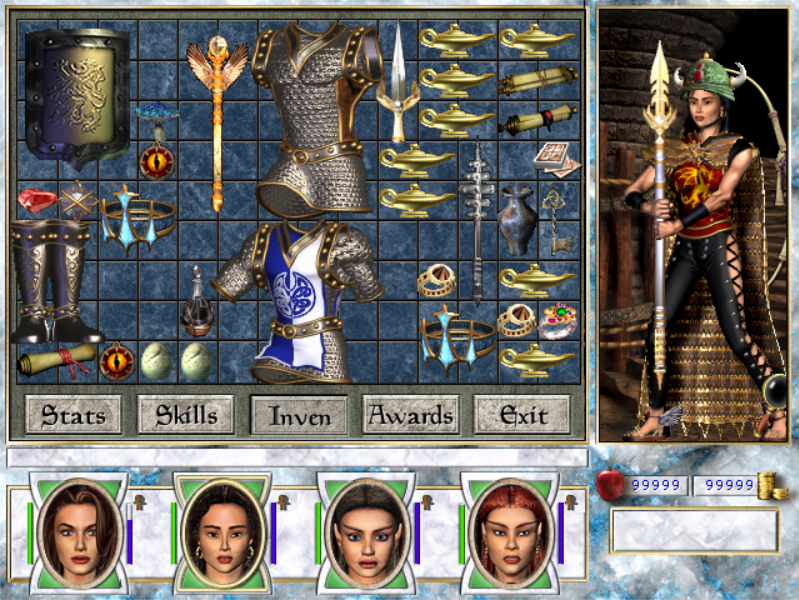
OpenEnroth is an open-source reimplementation of the Might & Magic VI-VIII game engine, allowing you to play the original games on modern platforms. It uses the original game data, so you will need a copy of the game to play.
Currently only MM7 is playable. MM6 and MM8 support is planned — check the milestones to see where we're at.
Supported platforms: Windows, Linux, macOS, and Android (experimental).

Download
Prebuilt binaries are available from our releases page.
Currently only nightly builds are available, which may have bugs. A stable release is in progress — see the v0.1 milestone.
Discord
Join our Discord to discuss, track progress, or get involved in development.

Getting Started
You will need two things: the OpenEnroth binary and the original Might and Magic VII game data.
Getting the game data
You can buy Might and Magic VII from GOG.com. Copies from other sources (e.g. an original retail disc) should also work.
At the very least, OpenEnroth requires the ANIMS, DATA, MUSIC and SOUNDS directories from the game data.
Non-GOG versions
Install or extract your copy of the game as normal.
GOG Version
Windows
On Windows, run the GOG installer to extract the game data to your computer.
Linux and macOS
The installer cannot be run directly on Linux and macOS, but you can use innoextract to extract its contents.
- On macOS, install Homebrew if you don't have it already and run
brew install innoextract - On Linux, the exact command depends on your distribution:
- Ubuntu or Debian-based (including Linux Mint, Pop!OS, etc):
sudo apt install -y innoextract - Fedora or other RedHat-based (except "immutable" distributions like Bazzite):
sudo dnf install -y innoextract - For other systems, Repology lists the package name for most distributions.
- Ubuntu or Debian-based (including Linux Mint, Pop!OS, etc):
Once you have innoextract, run:
innoextract -e -d <new game data directory> <path to GOG installer .exe>
Game Assets Path Override
You can set an environment variable called OPENENROTH_MM7_PATH to point to the location of the game data.
If set, OpenEnroth will look for game assets only in that location. You may want to add this to your shell
profile (e.g. ~/.profile on Linux or ~/.zshrc on Mac):
export OPENENROTH_MM7_PATH="<path-to-mm7-game-assets>"
Installing OpenEnroth
Windows
- Download one of the prebuilt releases and unzip the files.
- Copy
OpenEnroth.exeandOpenEnroth.pdbto the directory containing the game data. - Run
OpenEnroth.exe.
macOS
- Move the game data to
~/Library/Application Support/OpenEnroth, creating this directory if needed. - Download one of the prebuilt releases and unzip the files.
- Run
xattr -rc <extracted-path>/dist/OpenEnroth.app. This clears the quarantine flag — macOS will refuse to launch unsigned binaries without this step. - Run
OpenEnroth.app.
Linux (Flatpak)
The Flatpak package is the easiest choice if you aren't using Ubuntu 24.04, or you cannot install system packages on your computer (e.g. on "atomic"/"immutable" distributions like Bazzite or SteamOS).
- Check for Flatpak support:
- Run
flatpak --version. If you get a version number, you're ready; otherwise visit https://flatpak.org/setup/ for setup instructions.
- Run
- Install OpenEnroth:
- Download the
io.github.openenroth.openenroth_*.flatpakpackage from the releases page. - Run
flatpak install --user /path/to/io.github.openenroth.openenroth_*.flatpak. - Create
~/.var/app/io.github.openenroth.openenroth/data/mm7/data/ - Move the game data (at least
ANIMS,DATA,MUSICandSOUNDS) into this new directory.
- Download the
- Run OpenEnroth from your application menu or using
flatpak run io.github.openenroth.openenroth.
Linux (Loose executable)
The loose executable is better if you want direct access to the binary (e.g. for development), or need full control over install location. Requires Ubuntu 24.04 or a distribution with compatible system libraries.
- Install required libraries:
sudo apt-get install libgl1(Ubuntu 24.04). For other distributions, check your package manager for equivalent packages. - Download a prebuilt release and unzip it.
- Copy the game data (
ANIMS,DATA,MUSICandSOUNDS) next to theOpenEnrothexecutable. - Run
OpenEnroth(you may needchmod a+x OpenEnrothfirst).
Android (Experimental)
Android is not actively tested by the dev team — expect issues and be prepared to troubleshoot.
- Download
openenroth-release.apkfrom the releases page. - Install the APK on your device (you will need to allow installation from unknown sources in your device settings).
- Copy the game data (
ANIMS,DATA,MUSICandSOUNDS) to/sdcard/Android/data/io.github.openenroth.openenroth/files/on your device.
Development
See HACKING.md for build instructions, code style guidelines, and contribution guidelines.
Screenshots